NSFW AI Furry Generator
Build original adult anthropomorphic characters from text, control species and markings, and carry a successful design into new scenes.
Furry character generation depends on a structured brief. Species and silhouette come first, followed by fur pattern, palette, facial traits, body type, wardrobe, style, and scene. CandyPorn turns that brief into fully synthetic adult artwork without requiring a real-person photo. Reusing the stable character block improves continuity between renders; changing only pose, setting, or camera makes iterations easier to judge. The workflow supports illustrated and more dimensional looks, private generation, high-resolution refinement, and still-to-motion experiments.
Create an Original Furry CharacterA Real CandyPorn Workflow Output
This side-by-side pair comes from the current CandyPorn product asset set. It is evidence of an exportable image result from the live workflow, not a cherry-picked furry-style promise.
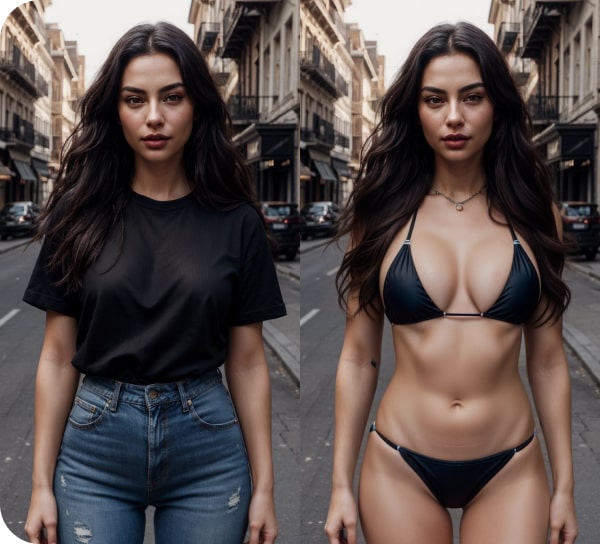
For furry intent, run a separate species-specific test and inspect muzzle, ears, tail, paws, markings, silhouette, and identity continuity across several variations. Output varies with the prompt and settings.
Key Features
Species Control
Define species, hybrid traits, ears, muzzle, tail, and silhouette.
Marking Design
Lock fur patterns, palette, eye color, and signature details.
Character Briefs
Reuse a stable prompt block across new scenes and outfits.
Style Range
Illustrated, cel-shaded, painterly, or dimensional directions.
Scene Building
Control background, light, framing, pose, and mood.
Synthetic & Adult
Original fictional adult characters only, with no photo upload.
How It Works
Describe the Goal
Set the adult characters, visual style, framing, and mood.
Generate Variations
Compare several fully synthetic renders instead of settling for the first.
Refine or Animate
Tighten the prompt, upscale the best image, or turn it into a short clip.
Why Choose CandyPorn?
| Feature | CandyPorn | Others |
|---|---|---|
| Source material | Fully synthetic adults | Varies by provider |
| Privacy | Private creation workflow | May use public galleries |
| Refinement | Reroll, enhance, upscale, animate | Often image-only |
| Free access | Signup credits | Trials and limits vary |
Frequently Asked Questions
How should I prompt an original furry character?+
Can the same character appear in several images?+
Can I request an existing copyrighted character?+
Can furry art be animated?+
Explore More AI Tools
Related Guides & Comparisons
AI Hentai Generator
A comparison guide for anime-focused adult AI tools; for direct creation, use CandyPorn’s existing AI Hentai Generator.
Read more →AI Waifu Generator
Explore the dedicated CandyPorn guide and creation workflow.
Read more →AI Roleplay Generator
Turn a scenario into a sequence of original adult images by keeping character briefs stable and advancing one beat at a time.
Read more →How to Build and Test an Original Furry Character Brief
An NSFW AI furry generator is most useful when it is treated as a character-design workflow, not a slot machine for unrelated images. Write the permanent identity first, keep it unchanged, and move pose, wardrobe, camera, lighting, and location into a separate scene block. That structure gives every generation a clear test: did the character remain recognizable while the requested scene changed?
Start with Species and Silhouette
Choose one primary species before adding color or costume. Define the traits that control the outline: muzzle length, ear shape, tail type, leg structure, paws or hands, height, and body silhouette. If the character is a hybrid, assign each visible trait to a species instead of asking for a vague blend. Make the fictional character unambiguously adult in both wording and appearance.
- State clearly adult age and one primary species
- Define muzzle, ears, tail, legs, paws or hands, and body silhouette
- Add base fur color and secondary colors
- Place each marking precisely on the face, torso, limbs, or tail
- Finish the identity block with eyes, hair, accessories, and one signature detail
Treat Markings Like a Map
“Blue markings” leaves too much room for interpretation. A reusable brief should say where a marking begins, where it ends, whether it is symmetrical, and how it contrasts with the base fur. For example, separate a facial mask from ear tips, forearm markings, chest fur, and a tail ring. Keep this map in the same order on every reroll. If a marking drifts, shorten the scene and make the location more explicit before adding new details.
Add Style Without Redesigning the Character
After identity is fixed, choose one visual system. Cel-shaded art needs firm linework, controlled shadow shapes, and a limited highlight language. Painterly direction relies more on edges, brush texture, and light. A dimensional render needs material, lens, and depth cues. Avoid stacking cel-shaded, watercolor, photoreal, 3D, and comic labels together unless mixed media is deliberate; conflicting instructions can change anatomy and markings as well as surface treatment.
Run a Three-Variation Consistency Test
Use the same identity, marking, and style blocks for three generations. In the second variation, change only the background. In the third, change only the camera distance or a simple pose. Compare the full-size results side by side. A useful brief should preserve the dominant silhouette, species anatomy, palette, major markings, eyes, and signature detail. Each output is newly generated, so perfect duplication is not promised; the goal is recognizable continuity and controlled drift.
- Muzzle and ears still belong to the same species
- Tail type and attachment remain anatomically readable
- Paws, hands, and digit count do not dissolve or merge
- Major markings stay in the specified locations
- Two-character scenes do not exchange colors, clothing, or anatomy
- The style changes surface treatment without changing identity
Fix the Brief Before Upscaling or Animation
Enhancement and upscaling can improve the presentation of a selected frame, but they do not solve a wrong species, missing tail, misplaced marking, or confused pose. Choose a coherent still first. For image-to-video, prefer a clean silhouette, separated limbs, a simple background, and a small motion request. Complex movement compounds any ambiguity already present in the source frame.
Furry, Hentai, or Waifu Intent?
Use this furry page when species anatomy, fur, markings, muzzle, ears, tail, or paws define the character. Use the AI Hentai Generator when anime linework, manga composition, and cel-shaded human or near-human characters are central. Use the AI Waifu Generator when the goal is a recurring adult anime character built around face, hair, outfit, personality, and scene continuity rather than anthro anatomy.
Private, Original, Adult-Only Creation
Create original fictional characters who are clearly adults. Do not imitate a recognizable protected character or use a real person as an implied identity. Keep successful prompt blocks outside the editor so you can reuse them, download selected results according to the current product workflow, and review CandyPorn’s current terms, retention rules, and credit limits before building a larger series.
Ready to Get Started?
Start with free credits — no card required
Start Free TrialNo credit card required · Instant access · Cancel anytime